Créez, Osez, Soyez Passionnés !


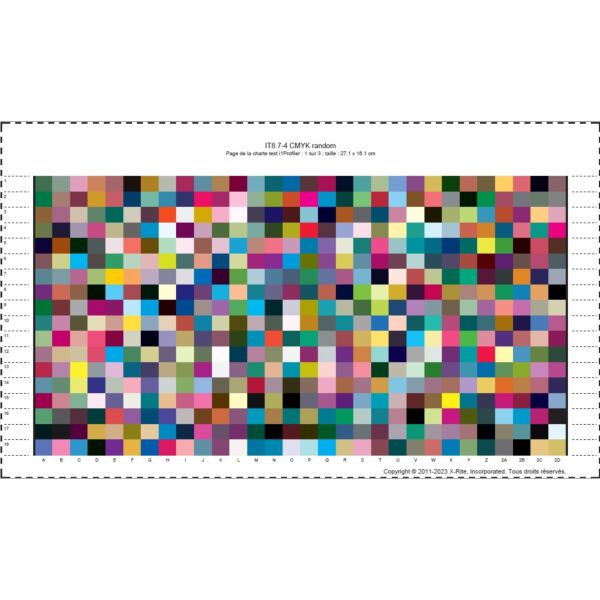


Calibration et réalisation d'un profil ICC dédié à votre imprimante DTF
249,00 € 207,50 €
Disponibilité : En stock
SKU
SERV_CALIBRATION_DTF
Pour un rendu de couleur optimal, faites calibrer votre machine DTF et optez votre profil ICC dédié !
Vous possédez une machine d'impression DTF ; même neuve ou fraichement installée, les couleurs imprimées peuvent présenter une dérive importante par rapport à une référence quadrichromie : type nuancier Pantone ColorBridge.
Pour avoir un rendu couleur optimal, il vous faut calibrer votre imprimante. Vous éviterez ainsi d'éventuelle problème de colorimétrie avec vos clients.
Comment se passe la calibration en 10 étapes :
1/ Téléchargez les 3 palettes de couleur au format A4 à imprimer à 100% ci-dessous :
n'appliquez pas de sous-couche de blanc dans Photoshop.
2/ Importez chaque fichier dans votre logiciel RIP (MainTop… )
3/ Réglez le "White Ink Setting" sur FULL ou votre réglage habituel
4/ Dans le Menu "Adujst Color" : désélectionnez "Use Color Mangement"
5/ Enregistrer vos fichiers pour l'impression
6/ Réalisez l'impression sur votre machine DTF en appliquant les paramètres de soutien de blanc utilisé habituellement
7/ Expédiez les 3 planches poudrées/séchées à plat chez Créadhésif - Service Calibration
8/ Nous réalisons votre profil colorimétrique ICC sur la base d'un textile foncé et nous vous l'envoyons par mail le fichier ICC
9/ Vous n'avez plus qu'a l'intégrer dans votre logiciel RIP
10/ Votre machine est calibrée et imprime des couleurs exactes sur l'ensemble de la gamme de couleur possible avec votre imprimante
Pour travailler dans des conditions optimales, nous vous préconisons de nous envoyer le textle de bonne qualité que vous utilisez régulèrement et également de faire calibrer vos écrans à l'aide d'une sonde.
Il peut être nécessaire de répéter l'opération de calibration lorsque vous changez d'encre, de film ou de tête d'impression, de réglages d'apport de blanc.
Pour un rendu couleur impeccable, nous vous conseillons de faire calibrer votre machine 1 fois par trimestre.
Qu’est ce qu’un profil ICC ?
Un profil ICC est un fichier numérique d’un format particulier (extension .icc ou .icm) décrivant la manière dont un périphérique informatique restitue les couleurs. Il est créé lors du calibrage d’un appareil et sert à afficher les bonnes « couleurs ». En résumé, c’est sa carte d’identité colorimétrique.
Pour imprimer un fichier, il est recommandé d’utiliser un profil ICC car il va faire correspondre au mieux les couleurs de votre image avec celle imprimée sur un support en prenant en compte les caractéristiques et les contraintes liées à l’imprimante et à son support. L’imprimante va calculer comment modifier une couleur qu’elle ne peut pas imprimer pour que le rendu reste le plus proche possible de la couleur d’origine.
Car comme vous le savez peut-être, les couleurs qui s’affichent sur votre écran ne sont pas les mêmes que celles qui seront imprimées. Le mode colorimétrique des écrans d’ordinateur s’appelle le mode RVB, il regroupe trois couleurs : le rouge, le vert et le bleu. Le mode colorimétrique CMJN quant à lui regroupe 4 couleurs : le cyan, le magenta, le jaune et le noir, il est utilisé pour l’impression.
Rédigez votre propre commentaire

